
Emo Myspace Comments
;

Minggu, 04 Maret 2012

Cara Pasang Background Berubah-ubah di Blog


Cara Pasang Background Berubah-ubah

 Siapa pun senang jika mempunyai blog yang keren dan tampil elegan, kali ini saya akan berbagi tentang background yang bisa berubah-ubah sesuai minat pengunjung nya, keren kan!! awalnya saya menemukan ini ketika saya memodif script lazyload, akhirnya lazyload yg saya modif itu gak berfungsi, script asli nya saya uda gak nyimpan,
dan saya mencoba browsing di google untuk menemukan lazyload seperti awal semula, nah akhirnya ketemu si lazyload di blog teman chumhienk blog dari referal google, di blog nya si chumienk sy melihat backgroundnya bisa di ganti sesuai selera dan saya putuskan untuk berbagi dengan teman-teman, buat yang ingin melihat contohnya silahkan melihat di chumhienk blog untuk selanjutnya langsung aja gan soalnya saya uda ngantuk ni.
yang ingin pasang radio streaming di blog nya klik disini Cara mudah pasang radio online atau mo pasang Menambah emoticon pada komentar blog atau Cara memasang widget indonesia dikanan atas .

oke kita lanjutkan tutorial memasang background berubah-ubah.
Langkah 1

Login Blogger Dashboard --> Design --> Add A Gadget --> HTML/Javascript.

Copy dan paste kod di bawah pada content HTML/Javascript.


Copy kod di bawah ini dan pastekan di dalam content html:

<div class="widget-content">
<center><blink style="color: rgb(0, 102, 0);"><span style="font-weight: bold; color: rgb(0, 153, 0);">Change Background of This Blog!</span></blink><br /><br />

<center><select onchange="document.body.style.background = this.value;this.style.background = this.value;" name="DADcbgc" title="Change Background Image" width="185" height="30">
<option value="url() repeat center center fixed" />None
<option value="url(http://cdn.indowebster.com/www42.indowebster.com/7dd2ae51f4b0cb792d3a435dc953f5cc_thumbnail.gif) repeat center center fixed" />Red Matrix
<option value="url(http://yahyarezpectors.files.wordpress.com/2011/01/sharingan_wheel_by_neronin2.gif) repeat center center fixed" />Sharingan
<option value="url(http://data0.eklablog.fr/hinata/mod_article214242.gif) repeat center center fixed" />Sharingan 2
<option value="url(https://blogger.googleusercontent.com/img/b/R29vZ2xl/AVvXsEgaolCWWzBfIXbE4hqVDR1RyHOQi3d-Sf2QUQkimB1zV2Tx2HLJQSPaSI9V4tNP6S9IcN191OGkZvcOi6y9KnWHcQ39uQFtzMeUGUl7PCRn97q4HttT1PBEIjMLvUQCKSf5TIvcnbs5pCOm/s1600/death-note%25284%2529.jpg) repeat center center fixed" />Death Note 1
<option value="url(http://i469.photobucket.com/albums/rr57/dragonknight0000039/ae/death20note20L.jpg) repeat center center fixed" />L Lawliet 1
<option value="url(http://lh5.googleusercontent.com/_GaKwmMcf4N4/TZF_GOqPR_I/AAAAAAAAEsY/iGS-uTIVDs8/DADbg.JPG) repeat center center fixed" />Hidden Leaf
<option value="url(http://lh4.googleusercontent.com/_GaKwmMcf4N4/TZGC4NlmmMI/AAAAAAAAEvk/cma5mtW-beU/DADbg2.JPG) repeat center center fixed" />Rikimaru

<option value="url(http://lh6.googleusercontent.com/_GaKwmMcf4N4/TZGC24bJuCI/AAAAAAAAEvg/O1mDH3LU91w/DADbg0.jpg) repeat center center fixed" />Yu-Gi-Oh!
<option value="url(http://lh5.googleusercontent.com/_GaKwmMcf4N4/TZGDGbOqsnI/AAAAAAAAEwI/FWAbOOZu2go/DAD1.jpg) repeat center center fixed" />Deidara
<option value="url(http://lh4.googleusercontent.com/_GaKwmMcf4N4/TZGC7eK9TtI/AAAAAAAAEvw/Ly5L0UA3D4s/DADcloud.gif) repeat center center fixed" />Akatsuki Cloud
<option value="url(http://lh5.googleusercontent.com/_GaKwmMcf4N4/TZGC7UA67RI/AAAAAAAAEv0/ehJ-oez_akU/DADbluematrix.gif) repeat center center fixed" />Blue Matrix
<option value="url(http://lh3.googleusercontent.com/_GaKwmMcf4N4/TZGC9O9ZNUI/AAAAAAAAEv8/Idjb8xIrw60/DADgreenmatrix.gif) repeat center center fixed" />Green Matrix
</select></center></center>
</div><br/><center><a href="http://www.herihalik.com/2011/08/cara-pasang-background-berubah-ubah.html" target="_blank">Pasang Seperti Ini</a></center>

klik Save.
tereng!!! sekarang blog agan uda bisa dipilih-pilih background nya, untuk judul nya boleh kosong atau boleh juga di isi, saya sarankan di simpan di bawah header halaman. jadi pengunjung bisa memilih nya.
silahkan baca juga Cara mudah membuat tampilan hemat energy dan Cara memasang widget hitstats di blog.
semoga bermanfaat.
silahkan tambahkan komentar anda jika terdapat kurang jelas dengan tutorial ini atau jika saya terdapat kesalahan. 


 1 .KODE WARNA HTML  2.Cara membuat MP3 di BLOG  3.Cara membuat efek bintang berjatuhan pada blog  4.Cara membuat animasi superman di blog  5.Cara Membuat Efek Teks Neon Light 1 Warna  6.Memfilter Komentar Kotor di Blog  7.Memproteksi Gambar di Blog dari Save As  8.Menambahkan Button Share dari Blogger  9.Membuat Thread Comments di Blogspot10.Menghilangkan Tulisan "Label" di Bawah Postingan11.Menambahkan Tweet Button dan Facebook Like di Blogdetik12.Membalas Komentar Blog Secara Otomatis13.Membuat Buku Tamu yang Buka Tutup di blog anda14.Menampilkan Status YM (Yahoo Messenger )di Blog15.Membuat Icon Burung Twitter Berterbangan di Blog16.Cara menambah kan Tv Online di Blog anda17.Cara membuat Efek meteor jatuh di blog Anda18Cara membuat blog saat di buka langsung berputar19Cara membuat Pesan pembuka & Pesan Penutup pada Blog20.Cara menambah kan Tv Online di Blog anda    
Read More : Cara Pasang Background Berubah-ubah di Blog

Sabtu, 03 Maret 2012

Cheat Engine 5.6 Free Download

Cheat Engine 5.6 Free Download


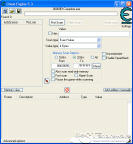
Cheat Engine 5.6Cheat Engine is an open source tool designed to help you with modifying single player games running under window so you can make them harder or easier depending on your preference(e.g: Find that 100hp is too easy, try playing a game with a max of 1 HP), but also contains other usefull tools to help debugging games and even normal applications.
Cheat Engine v5.6 comes with a memory scanner to quickly scan for variables used within a game and allow you to change them, but it also comes with a debugger, disassembler, assembler, speedhack, trainer maker, direct 3D manipulation tools, system inspection tools and more.
For new users it is recommended to go through the tutorial(The one that comes with Cheat Engine, you can find it in your programs list after installing) and at least reach step 5 for basic understanding of the usage of Cheat Engine. 
Note: The software Cheat Engine is for Windows only. You can not use it on MAC OS X. 


Software InformationSystem Requirements
Version:5.6
  • Windows 2000/XP/Vista and Windows 7
  • 512 MB RAM
License:Freeware
File Size:4.06 MB
Screenshot:View Screenshot
Rating :


What's new in Cheat Engine 5.6:
  • Removed stealthmode. (Someone could make a plugin for this, one probably more advanced than the old one)
  • Pointerscanner speed has been increased a lot
  • Copied the "Find out what addresses this code accesses" from advanced options to memory view
  • Made the above function display the current value so you don't have to add them first
  • And made it non-modal so you can do other stuff while it's working.
  • Improved custom scan so it can now also display the results
  • New speedhack implementation
  • New AutoAssembler window
  • Removed the question if you want a new scan. (You must now click on new scan yourself)
  • Added GlobalAlloc to the autoassembler
  • The dissect structure window can now be opened multiple times (for comparison)
  • Structures are now saved in the cheat table
  • The main ce window now has a menu (can be disabled in settings if you don't like it)
  • The processlist can now show process icons. (could be slow, so can be disabled in settings)
  • The settings window has been changed from tabs to a list
  • Added a tools menu so people can add quicklaunch apps. (e.g: calc)
  • Added the option to save and load tables as XML
  • Changed copy/pasting of entries to XML
  • Helpfile changed from .HLP to .CHM , also incorporated the plugin documentaion in the helpfile instead of a seperate .RTF
  • Added a few new functions to the plugin system and made the examples easier to understand (Mainly for helping with assembly scripts)
  • Added a packet editor example plugin
  • Assembler can now work with " and ' strings
  • Changed the reverse pointer scan to give more details about what is going on
  • The positions of the main window and memoryview can now be saved
  • The about window now tells you which version of dbvm is loaded if dbvm is running
  • If DBVM is running and you choose physical memory, it goes through dbvm's read physical memory instead of windows'
  • Added a floating point panel to several windows that use system context to display variables
  • Added the option to the memoryview hexview part to display 2 bytes, 4 byte, float or double instead of bytes
  • Improved the dissect data window to show addresses next to eachother
  • The bottom part of the memory view window (hexview) can now display as different types (byte, 2 byte, 4 byte, decimal 4 byte, float, double)
  • Changed the multi pointer tutorial step so it now represents a real game situation
  • Added the adminRequired anifest to the standalone trainer
  • Fixed the multicore scan crash
  • Fixed the MEMORYFIRST.TMP file showing up in a weird location
  • Fixed several hotkey setting bugs
  • Fixed loading back the speedhack hotkey values
  • Fixed a crash when opening a process with a broken PE-header
  • Fixed several assembler and disassembler instructions
  • Fixed memoryviewers "copy to clipboard" option where it picks the wrong option
  • Fixed binary scan crash on nextscan
  • Fixed huge memory leak in pointerscanner
  • Fixed the "No error message" on error during a scan
  • Fixed bug with calling kernel_XXXX functions in assembler
  • Fixed a trainer bug regarding clicking on cheats
  • Fixed 32-bit icons in the trainer maker
  • Fixed the terminate scan option
  • Fixed a DPI bug on several windows
  • Fixed a crash when loading of the symbols failed

Read More : Cheat Engine 5.6 Free Download

Download Cheat Charles Proxy 3.6.5


Buy Charles Licenses

Thank you for your interest in purchasing a license for Charles. Charles is constantly updated and improved thanks to license purchases.
Charles is developed by Karl von Randow at XK72 Ltd. It is shareware, which means that you may try Charles for 30 days. After 30 days if you decide to continue using Charles you must purchase a license. This system enables you to evaluate Charles before deciding to purchase a license.

Pricing

Two license types are available, User Licenses and Site Licenses. A user license permits you to use Charles on one computer. A site license of Charles permits you to use Charles on any computer at one site (or at multiple sites with a Multi-Site License). Both license types allow sensible use on a second computer and off-site. Please contact me for Educational pricing options. Please read more about the licenses terms. Last updated 1 May 2008.
Upgrades
Each license is valid for the current major version of Charles at the time of purchase (currently 3.X), and remains valid for all updates up to but not including the next major version (4.X). A license is eligible for free upgrade to the next major version if the next major version is released within three months of the license purchase. Upgrade pricing will be 40% of the original license purchase price.

Pricing Table

License Pricing
1-4 User Licenses US$50 / license
5+ User Licenses US$40 / license (20% discount)
10+ User Licenses US$30 / license (40% discount)
Site License US$400
Multi-Site License US$700

Payment

You may purchase licenses for Charles online using PayPal or FastSpring, both of which accept all major credit cards and PayPal account payment. If necessary, please contact me to make alternative payment arrangements.
You do not need to create a PayPal account to use PayPal.
Your license key will be emailed to you immediately following confirmation of your purchase. If you do not receive your license key within an hour please contact me so that I can resend – please include an alternative email address on a different network in case the spam filtering is too aggressive!
Read More : Download Cheat Charles Proxy 3.6.5

CARA PASANG SPOILER PADA BLOG

evil needs candy too


Spoiler adalah suatu script yang menyembunyikan link, gambar, kalimat, dan lain-lain. Spoiler ini bermanfaat sekali karena bisa menghemat tempat dan bisa seperti kejutan buat para pembaca.


Spoiler juga dapat digunakan untuk menghibur pengunjung juga loh, misalnya seperti ini:

1. Copy dan gunakan script berikut:
<div id="spoiler" style="display:none">
Konten Yang Disembunyikan
</div>
<button title="Klik untuk melihat/menyembunyikan" type="button" onclick="if(document.getElementById('spoiler') .style.display=='none') {document.getElementById('spoiler') .style.display=''}else{document.getElementById('spoiler') .style.display='none'}">Buka/Tutup</button>
Kostumisasi spoiler: 
- Ganti Konten Yang Disembunyikan dengan konten (text, url, url gambar, script dll) yang ingin disembunyikan.
- Ganti title dengan title sekehendak anda. Title berfungsi memberi informasi ketika mouse di hover di atas tombol spoiler.Klik untuk melihat/menyembunyikan 
- Ganti Buka/Tutup dengan teks sesuai keinginan, teks tersebut akan menjadi perintah yang terlihat pada tombol spoiler.
2. Untuk membuat spoiler di badan posting, buat spoiler melalui menu Edit HTML, letaknya dibagian pojok kanan atas kotak posting, semua editing dilakukan pada menu tersebut, jika tidak maka script tidak akan bekerja.
3. Jika ingin membuatnya di widget, pilih menu "HTML/Javascript".
http://gudang-informasiboy.blogspot.com


  1 .KODE WARNA HTML  2.Cara membuat MP3 di BLOG  3.Cara membuat efek bintang berjatuhan pada blog  4.Cara membuat animasi superman di blog  5.Cara Membuat Efek Teks Neon Light 1 Warna  6.Memfilter Komentar Kotor di Blog  7.Memproteksi Gambar di Blog dari Save As  8.Menambahkan Button Share dari Blogger  9.Membuat Thread Comments di Blogspot10.Menghilangkan Tulisan "Label" di Bawah Postingan11.Menambahkan Tweet Button dan Facebook Like di Blogdetik12.Membalas Komentar Blog Secara Otomatis13.Membuat Buku Tamu yang Buka Tutup di blog anda14.Menampilkan Status YM (Yahoo Messenger )di Blog15.Membuat Icon Burung Twitter Berterbangan di Blog16.Cara menambah kan Tv Online di Blog anda17.Cara membuat Efek meteor jatuh di blog Anda18Cara membuat blog saat di buka langsung berputar19Cara membuat Pesan pembuka & Pesan Penutup pada Blog    20.Cara menambah kan Tv Online di Blog anda                                                                                                                                                                                                                 
Read More : CARA PASANG SPOILER PADA BLOG

KODE WARNA HTML


KODE WARNA HTML


#FOF8FF
Aliceblue
#FAEBD7
Antiquewhite
#00FFFF
Aqua
#7FFFD4
Aquamarine
#F0FFFF
Azure
#F5F5DC
Beige
#FFE4C4
Bisque
#000000
Black
#FFEBCD
Blanchedalmond
#0000FF
Blue
#8A2BE2
Blueviolet
#A52A2A
Brown
#DEB887
Burlywood
#5F9EAD
Cadetblue
#7FFF00
Chartreuse
#D2691E
Chocolate
#FF7F50
Coral
#64950
Cornflowerblue
#FFF8DC
Cornsilk
#DC143C
Crimson
#00FFFF
Cyan
#00008B
Darkblue
#008B8B
Darkcyan
#B8860B
Darkgoldenrod
#A9A9A9
Darkgray
#006400
Darkgreen
#8B008B
Darkmagenta
#BDB76B
Darkkhaki
#556B2F
Darkolivegreen
#FF8C00
Darkorange
#9932CC
Darkorchid
#8B0000
Darkred
#E9967A
Darksalmon
#8FBC8B
Darkseagreen
#483D8B
Darkslateblue
#2F4F4F
Darkslategray
#00CED1
Darkturquoise
#9400D3
Darkviolet
#FF1493
Deeppink
#00BFFF
Deepskyblue
#696969
Dimgray
#1E90FF
Dodgerblue
#B22222
Firebrick
#FFFAF0
Floralwhite
#228B22
Forestgreen
#FF00FF
Fuchsia
#DCDCDC
Gainsboro
#F8F8FF
Ghostwhite
#FFD700
Gold
#DAA520
Goldenrod
#808080
Gray
#008000
Green
#ADFF2F
Greenyellow
#F0FFF0
Honeydew
#FF69B4
Hotpink
#CD5C5C
Indianred
#4B0082
Indigo
#FFFFF0
Ivory
#F0E68C
Khaki
#E6E6FA
Lavender
#FFF0F5
Lavenderblush
#7CFC00
Lawngreen
#FFFACD
Lemonchiffon
#ADE8E6
Lightblue
#F08080
Lightcoral
#E0FFFF
Lightcyan
#FAFAD2
Lightgoldenrodyellow
#90EE90
Lightgreen
#D3D3D3
Lightgray
#FFB6C1
Lightpink
#FFA072
Lightsalmon
#20B2AA
Lightseagreen
#87CEFA
Lightskyblue
#778899
Lightslategray
#B0C4DE
Lightsteelblue
#FFFFE0
Lightyellow
#00FF00
Lime
#32CD32
Limegreen
#FAF0E6
Linen
#FF00FF
Magenta
#800000
Maroon
#66CDAA
Mediumaquamarine
#0000CD
Mediumblue
#BA55D3
Mediumorchid
#9370DB
Mediumpurple
#3CB371
Mediumseagreen
#7B68EE
Mediumslateblue
#00FA9A
Mediumspringgreen
#48D1CC
Mediumturquoise
#C71585
Mediumvioletred
#191970
Midnightblue
#F5FFFA
Mintcream
#FFE4E1
Mistyrose
#FFE4E1
Moccasin
#FFDEAD
Navajowhite
#000080
Navy
#FDF5E6
Oldlace
#808000
Olive
#6B8E23
Olivedrab
#FFA500
Orange
#FF100%0
Orangered
#DA70D6
Orchid
#EEE8AA
Palegoldenrod
#98FB98
Palgreen
#AFEEEE
Paleturquoise
#DB7093
Palevioletred
#FFEFD5
Papayawhip
#FFDAB9
Peachpuff
#CD853F
Peru
#FFC0CB
Pink
#DDA0DD
Plum
#B0E0E6
Powderblue
#800080
Purple
#FF0000
Red
#BC8F8F
Rosybrown
#4169E1
Royalblue
#8B4513
Saddlebrown
#FA8072
Salmon
#F4A460
Sandybrown
#2E8B57
Seagreen
#FFF5EE
Seashell
#A0522D
Sienna
#C0C0C0
Silver
#87CEEB
Skyblue
#708090
Slategray
#FFFAFA
Snow
#00FF7F
Springgreen
#4682B4
Steelblue
#D2B48C
Tan
#008080
Teal
#D8BFD8
Thistle
#FF6347
Tomato
#40E0D0
Turquoise
#EE82EE
Violet
#F5DEB3
Wheat
#FFFFFF
White
#F5F5F5
Whitesmoke
#FFFF00
Yellow
#9ACD32
Yellowgreen


  1 .KODE WARNA HTML  2.Cara membuat MP3 di BLOG  3.Cara membuat efek bintang berjatuhan pada blog  4.Cara membuat animasi superman di blog  5.Cara Membuat Efek Teks Neon Light 1 Warna  6.Memfilter Komentar Kotor di Blog  7.Memproteksi Gambar di Blog dari Save As  8.Menambahkan Button Share dari Blogger  9.Membuat Thread Comments di Blogspot10.Menghilangkan Tulisan "Label" di Bawah Postingan11.Menambahkan Tweet Button dan Facebook Like di Blogdetik12.Membalas Komentar Blog Secara Otomatis13.Membuat Buku Tamu yang Buka Tutup di blog anda14.Menampilkan Status YM (Yahoo Messenger )di Blog15.Membuat Icon Burung Twitter Berterbangan di Blog16.Cara menambah kan Tv Online di Blog anda17.Cara membuat Efek meteor jatuh di blog Anda18Cara membuat blog saat di buka langsung berputar19Cara membuat Pesan pembuka & Pesan Penutup pada Blog20.Cara menambah kan Tv Online di Blog anda    
Read More : KODE WARNA HTML
Selamat datang di blog B.Boy Rezza semoga anda mendapatkan informasi yg anda butuhkan

boy 5

ʈσʈάɭ ʈάɣάɲɠάɲ

B.Boy Rezza


SELAMAT DATANG
GERAKKAN MOUSE ANDA DAN NIKMATI POSTING KAMI ^_^

    Warung Bebas TV Streaming
    Change Background of This Blog!


    Pasang Seperti Ini

    280 Px

    280 Px

    Selamat datang di blog B.Boy Rezza semoga anda mendapatkan informasi yg anda butuhkan

      © Blogger templates The Transformers by Blog Tips And Trick 2009